ASR Indic Server
Overview
Automatic Speech Recognition (ASR) for Indian languages using IndicConformer models.
Currently verified for kannada, hindi, tamil, telugu, marathi .
Try the web demo at - https://workshop.dwani.ai with Transcription page
Table of Contents
- Getting Started
- For Development (Local)
- Downloading Translation Models
- Kannada
- Other Languages
- Running with FastAPI Server
- Evaluating Results
- Kannada Transcription Examples
- Run the Docker Image
- Troubleshooting
- References
Getting Started - Development
For Development (Local)
- Prerequisites: Python 3.10 (compatibility verified)
- Steps:
- Create a virtual environment:
python -m venv venv - Activate the virtual environment:
On Windows, use:
source venv/bin/activatevenv\Scripts\activate - Install dependencies:
pip install -r requirements.txtsudo apt install ffmpeg
Downloading ASR Models
Models can be downloaded from AI4Bharat's HuggingFace repository:
- https://huggingface.co/ai4bharat/indic-conformer-600m-multilingual
- Log in HuggingFace Account
- Request Access to the model
-
https://huggingface.co/docs/hub/security-tokens
- Get a Read token for your account
export HF_TOKEN=<YOUR-READ-TOKEN-HERE>
For Multi-lingual language supported model
hf download ai4bharat/indic-conformer-600m-multilingual
Sample Code
For all languages
from transformers import AutoModel
import torchaudio
import torch

# Load the model
model = AutoModel.from_pretrained("ai4bharat/indic-conformer-600m-multilingual", trust_remote_code=True)

# Load an audio file
wav, sr = torchaudio.load("kannada_sample_1.wav")
wav = torch.mean(wav, dim=0, keepdim=True)

target_sample_rate = 16000  # Expected sample rate
if sr != target_sample_rate:
    resampler = torchaudio.transforms.Resample(orig_freq=sr, new_freq=target_sample_rate)
    wav = resampler(wav)

# Perform ASR with CTC decoding
transcription_ctc = model(wav, "kn", "ctc")
print("CTC Transcription:", transcription_ctc)

# Perform ASR with RNNT decoding
transcription_rnnt = model(wav, "kn", "rnnt")
print("RNNT Transcription:", transcription_rnnt)
- Run the Code
python asr-code.py
Alternative examples for Development
For Server Development
Running with FastAPI Server
Run the server using FastAPI with the multilingual model
python src/server/asr_api.py --port 10803 --host 0.0.0.0
Evaluating Results for FastApi Server
You can evaluate the ASR transcription results using curl commands.
Kannada Transcription Examples
Sample 1: kannada_sample_1.wav
- Audio File: samples/kannada_sample_1.wav
- Command:
curl -X 'POST' 'http://localhost:10803/transcribe/language=kannada' -H 'accept: application/json' -H 'Content-Type: multipa'Content-Type multipart/form-data' -F 'file=@samples/kannada_sample_1.wav;type=audio/x-wav' - Expected Output:
ಕರ್ನಾಟಕದ ರಾಜಧಾನಿ ಯಾವುದುTranslation: "What is the capital of Karnataka"
Sample 2 - Song - 4 minutes
- YT Video- Navaduva Nudiye
- Audio File: samples/kannada_sample_3.wav
- Command:
curl -X 'POST' \ 'http://localhost:10803/transcribe/language=kannada' \ -H 'accept: application/json' \ -H 'Content-Type: multipart/form-data' \ -F 'file=@samples/kannada_sample_3.wav;type=audio/x-wav' - Expected Output: kannada_sample_3_out.md
Note: The ASR does not provide sentence breaks or punctuation (e.g., question marks).
Troubleshooting
- Transcription errors: Verify the audio file is in WAV format, mono, and sampled at 16kHz. Adjust using:
ffmpeg -i sample_audio.wav -ac 1 -ar 16000 sample_audio_infer_ready.wav -y - Model not found: Download the required models using the
hf downloadcommands above. - Port conflicts: Ensure port 10803 is free when running the FastAPI server.
Demo Video
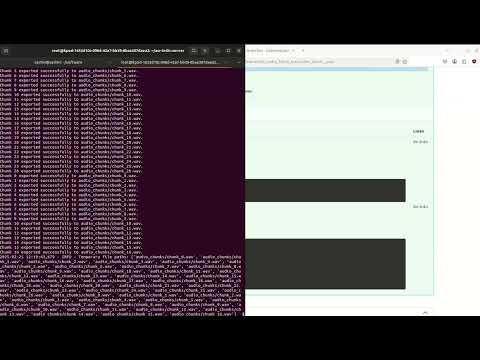
Watch a quick demo of our project in action! Click the image below to view the video on YouTube.
Contributing
We welcome contributions! Please read the CONTRIBUTING.md file for guidelines on how to contribute to this project.
Also you can join the discord group to collaborate
References
- AI4Bharat IndicConformerASR GitHub Repository
- Nemo - AI4Bharat
- IndicConformer Collection on HuggingFace
For Production (Docker)
- Prerequisites: Docker and Docker Compose
- Steps:
-
Start the server:
export HF_TOKEN="YOUR-HF_TOKEN" docker compose -f compose.yaml up -d -
Steps to build the Docker Image
docker build -t dwani/asr-indic-server:latest -f Dockerfile .
-->